


When setting up a network infrastructure or upgrading your internet connectivity, understanding Ethernet cable categories becomes essential. Whether you're purchasing bulk network cables for a large installation or simply replacing a damaged cord, knowing how to identify cable categories ensures optimal performance and future-proofs your investment.
Understanding Ethernet Cable Categories
Ethernet cables come in various categories, each designed to support different speeds and bandwidth requirements. The category system ranges from Cat5 to Cat8, with each successive generation offering improved performance. These categories directly impact your network's data transfer speeds, maximum bandwidth, and overall reliability.
Modern networking demands have pushed cable technology forward significantly. While older Cat5 cables once dominated the market, today's applications typically require Cat6, Cat6a, or even Cat7 cables to handle faster internet speeds and higher data volumes.
Primary Methods to Identify Cable Categories
Check the Cable Jacket Printing
The most straightforward method involves examining the cable's outer jacket. Manufacturers print critical information directly onto the cable sheath, typically repeating this information every few inches along the cable's length.
Look for text that includes "Cat5e," "Cat6," "Cat6a," "Cat7," or "Cat8." This marking appears alongside other specifications such as the manufacturer's name, compliance certifications, and sometimes the production date. When ordering bulk network cables, reputable suppliers ensure this information remains clearly visible and legible throughout the cable's length.
The jacket printing also includes additional codes that indicate cable type. You might see designations like "UTP" (Unshielded Twisted Pair), "STP" (Shielded Twisted Pair), or "FTP" (Foiled Twisted Pair). These markings provide valuable information about the cable's construction and interference protection.
Examine the Physical Construction
Different cable categories feature distinct physical characteristics. Higher-category cables generally have thicker jackets and more substantial construction to accommodate improved shielding and tighter twist ratios in the wire pairs.
Cat6 cables appear noticeably thicker than Cat5e cables due to their internal spline, which separates the twisted pairs and reduces crosstalk. Cat6a cables measure even thicker because they require additional shielding to support 10 Gigabit speeds over longer distances. When you purchase bulk network cables, these physical differences become apparent when comparing spools side by side.
Cat7 and Cat8 cables feature individually shielded pairs along with overall shielding, making them significantly bulkier than lower categories. This robust construction provides superior protection against electromagnetic interference but reduces flexibility.
Color Coding and Visual Indicators
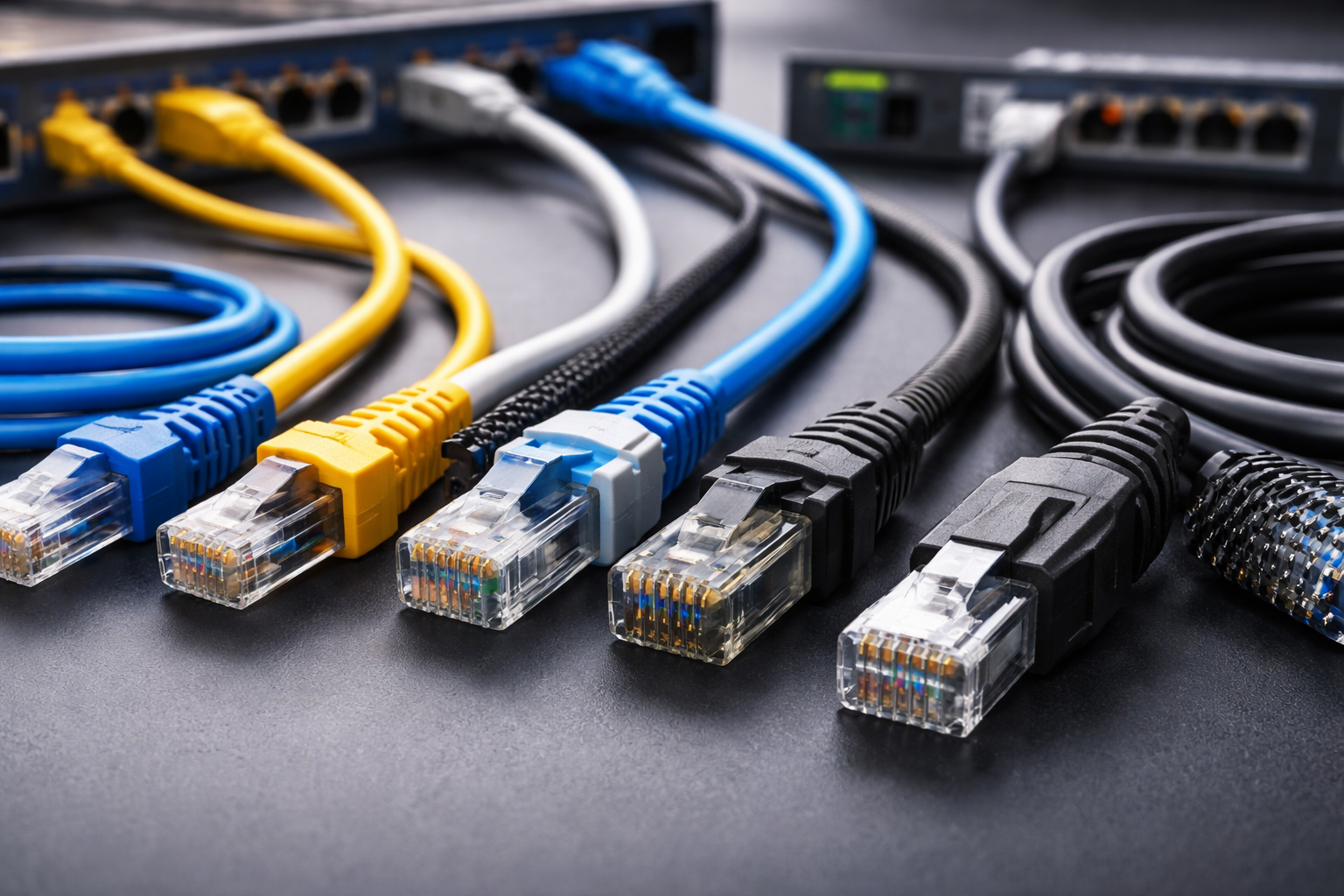
While color doesn't definitively indicate cable category, some manufacturers use specific colors to help differentiate their product lines. Some companies produce Cat6 cables in distinctive colors like blue or yellow, while Cat5e cables appear in gray or white.
However, relying solely on color proves unreliable since manufacturers don't follow universal color standards. Always verify the printed specifications rather than making assumptions based on jacket color alone.
Understanding Performance Differences Between Categories
Cat5e Cables
Cat5e (Category 5 enhanced) cables support speeds up to 1 Gigabit per second (Gbps) at distances up to 100 meters. These cables work well for basic home networking and office environments with moderate bandwidth demands. The "enhanced" designation indicates improved crosstalk specifications compared to the original Cat5 standard.
Cat6 Cables
Cat6 cables represent a significant upgrade, supporting 10 Gbps speeds at distances up to 55 meters and 1 Gbps up to 100 meters. Their tighter twist ratios and internal separators reduce interference and signal degradation. Many businesses purchase Cat6 bulk network cables as a balanced choice between performance and cost.
Cat6a Cables
Cat6a (augmented) cables extend 10 Gbps performance across the full 100-meter distance. These cables feature enhanced shielding and thicker construction, making them ideal for demanding business environments, data centers, and future-proof installations. The "a" designation signifies their ability to maintain performance over longer distances.
Cat7 and Cat8 Cables
Cat7 cables support frequencies up to 600 MHz and speeds up to 10 Gbps, while Cat8 cables push boundaries further with support for 25-40 Gbps over shorter distances (up to 30 meters). These premium categories find applications in specialized environments like server rooms and high-performance computing facilities.
Practical Identification Tips
Use Cable Testing Equipment
Professional cable testers provide definitive identification by measuring the cable's actual performance characteristics. These devices test parameters like bandwidth capacity, signal attenuation, and crosstalk levels, confirming whether the cable meets its stated category specifications.
Network professionals use these tools when installing bulk network cables to verify quality and ensure compliance with project requirements. While testing equipment requires investment, it eliminates guesswork and prevents costly mistakes in large installations.
Check Packaging and Documentation
When purchasing new cables, the packaging displays the category prominently. Bulk network cables come with specification sheets detailing performance characteristics, compliance certifications, and recommended applications. Save this documentation for future reference, especially in commercial installations where compliance verification becomes necessary.
Consult Manufacturer Resources
If identification proves difficult, manufacturer websites often provide tools for identifying products based on partial information or visual characteristics. Some companies maintain databases where you can search by product codes or physical descriptions.
Common Identification Mistakes to Avoid
Don't assume all cables in a building share the same category. Infrastructure often includes mixed cable types installed during different upgrades. Always verify each cable individually rather than making assumptions based on age or location.
Avoid confusing phone cables with Ethernet cables. While they appear similar, phone cables (typically Cat3) won't support modern network speeds. Ethernet cables contain eight conductors arranged in four twisted pairs, while phone cables may have fewer wires.
Making Informed Cable Choices
Understanding cable categories empowers you to make appropriate selections for your networking needs. For residential applications, Cat6 cables typically provide excellent value and performance. Business environments benefit from investing in Cat6a bulk network cables that accommodate future growth and increased bandwidth demands.
Consider your specific requirements: maximum required speeds, installation distance, environmental factors like electromagnetic interference, and budget constraints. Higher categories cost more but deliver better performance and longevity.
Conclusion
Identifying Ethernet cable categories requires examining printed specifications on the cable jacket, understanding physical construction differences, and recognizing performance capabilities. Whether you're installing bulk network cables in a commercial facility or upgrading home networking, accurate identification ensures optimal performance and prevents costly compatibility issues. Take time to verify cable categories before installation, and choose specifications that meet both current needs and anticipated future demands.
Source: https://www.iplocation.net/different-ethernet-cables-with-their-features-and-applications

 English
 Arabic
 French
 Spanish
 Portuguese
 Deutsch
 Turkish
 Italiano
 Russian
 Romaian
 Portuguese (Brazil)
 Greek
Greek